Utility-scale PV · Windows desktop
From KMZ boundary to complete layout, in minutes.
SolarLayout reads your KMZ boundary, places MMS tables, routes cables, positions inverters and estimates energy yield — in minutes, not days.
- Input
- KMZBoundary + exclusion polygons
- Output
- KMZ · DXF · PDFLayout, BoQ, yield report
- Topology
- String & CentralFixed-tilt, ICR @ 1/18 MWp
site_boundary.kmz · 184.3 ha · 12 obstructionsAuto-layout · 47.2 MWp
- Capacity DC
- 47.2 MWp
- GCR
- 0.42
- Tables
- 1,184
- Inverters
- 4 × CUF
01 / Products
Choose the right plan for your project.
Pick the depth of automation your project stage needs. Calculations are pooled per purchase.
PV Layout · Basic
Boundary → Layout
$1.99one-time · 5 calcs
- KMZ boundary import with multi-area support
- Automatic MMS table placement
- Inverter and lightning arrester placement
- KMZ + DXF export
5 calculationsLearn more →
Most usedPV Layout · Pro
Layout + Cabling
$4.99one-time · 10 calcs
- All Basic capabilities included
- AC + DC cable routing with quantities
- ICR placement at 1 per 18 MWp
- KMZ, DXF and PDF report export
10 calculationsLearn more →
PV Layout · Pro Plus
Layout + Yield
$14.99one-time · 50 calcs
- All Pro capabilities included
- Energy yield analysis
- P50 / P75 / P90 exceedance values
- Plant generation estimates
50 calculationsLearn more →
02 / Pipeline
From boundary to deliverable.
Four steps. No re-keying coordinates between Google Earth, AutoCAD and PVsyst.
Step 01
Import boundary
Upload your site boundary file
Step 02
Configure parameters
Configure module and plant specs
Step 03
Generate layout
Software creates your layout automatically
Step 04
Export deliverables
Download KMZ, DXF, and PDF reports
03 / The application
A look inside SolarLayout.
Selected views from the Windows desktop application.
SolarLayout — Project: Karnataka_47MW_phase1.kmz
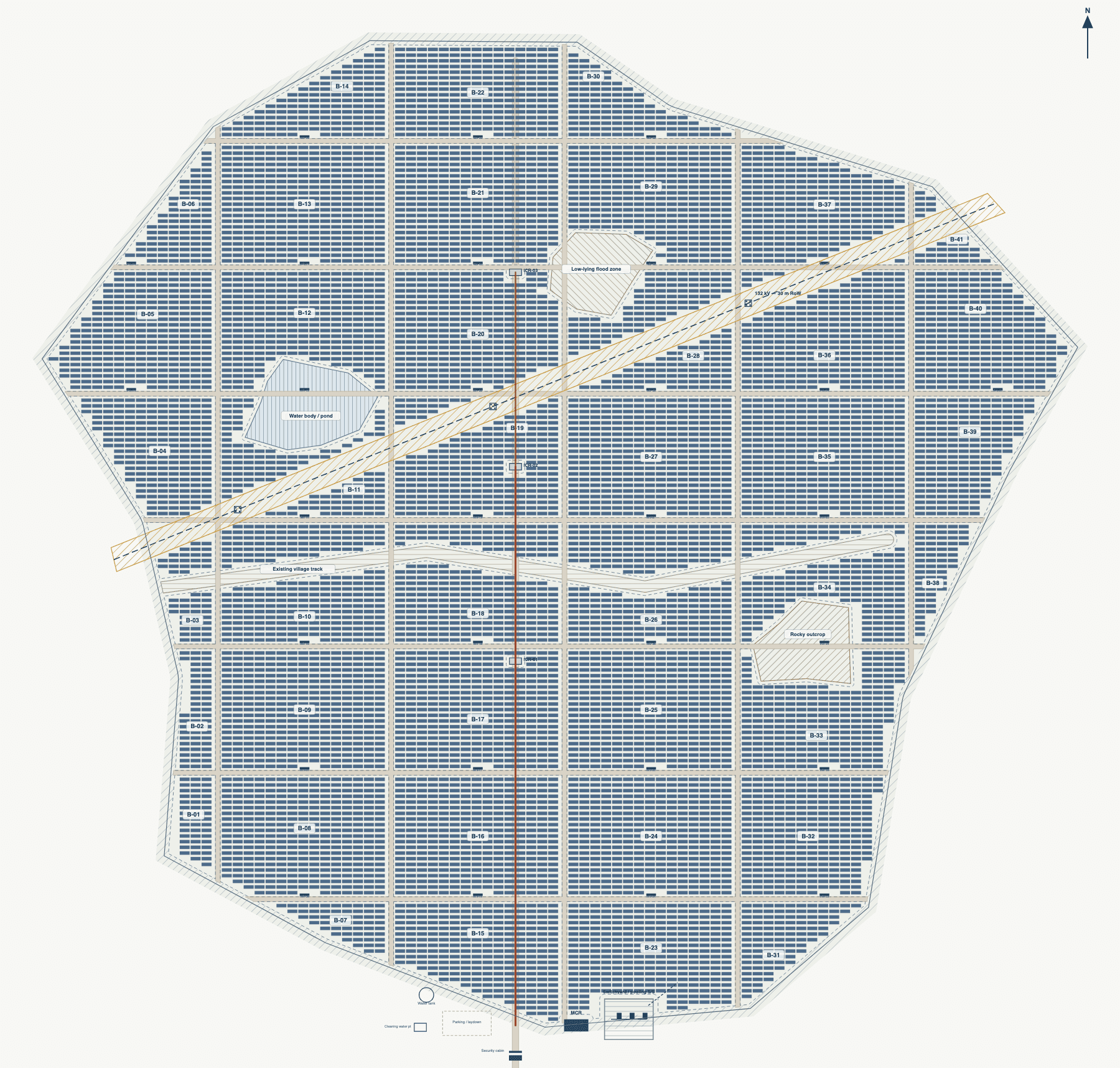
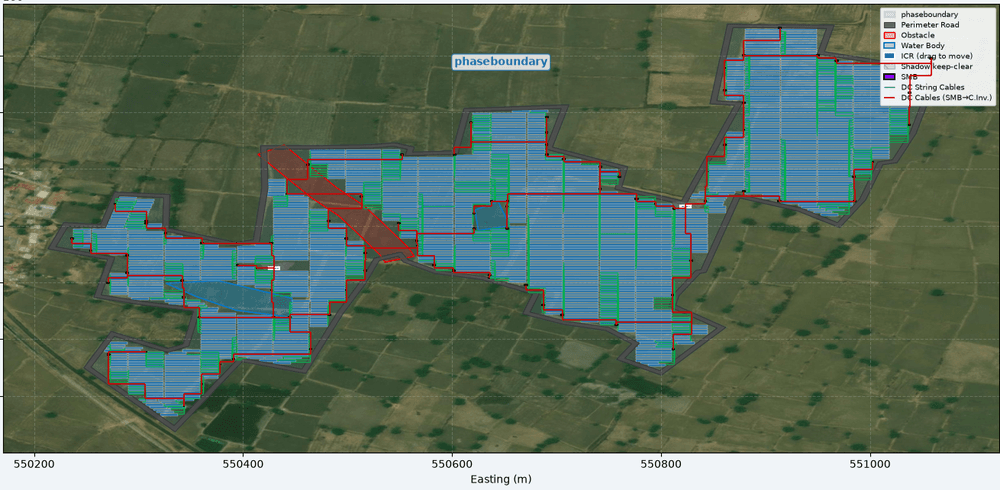
Layout canvas — table grid, inverters, exclusionsView · Layout/2D
BoQ — cable schedule
Cable schedule — automatic from layoutPro / Pro Plus
Yield report
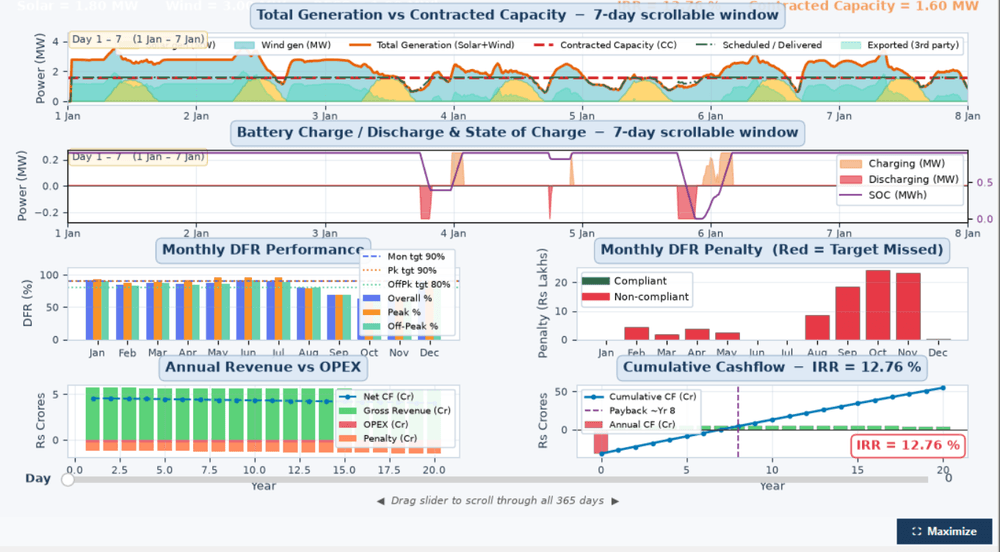
Yield report — P50/P75/P90, monthly generationPro Plus only
04 / Requirements
System requirements.
SolarLayout is a Windows desktop application. Internet is required for entitlement validation only.
| Operating system | Windows 10 (64-bit) or higher |
|---|---|
| RAM | 8 GB minimum, 16 GB recommended |
| Disk space | 1.2 GB for application, 500 MB working |
| Display | 1920 × 1080 minimum |
| Additional software | None required |
| Internet connection | Required for entitlement validation |
Inputs and outputs
SolarLayout reads and writes the file formats already used in the standard utility-scale solar workflow.
Reads
.kmz
Writes
.kmz · .dxf · .pdf
compatible with: AutoCAD · QGIS · Google Earth Pro